I started writing this blog post during the first few days of September, and it was just about ready to publish the day before ByteShape released their quants of Qwen 3.8 27B. That goofed up the flow of my post a little, but then the Bonsai 2 Ternary quant of Qwen 3.8 27B dropped, followed by Xiaomi’s distillation of Qwen 3.5 9B. All of these added up to something that really threw off the blog I had already written. These are the first words I am putting down before rewriting this entire post effectively from scratch!

I think we should answer the question in the title right away. If you use Pi or OpenCode to attack your coding problems with surgical precision, you will have no trouble using a local LLM on a 16 GB GPU. In fact, you can go a few steps past that into slightly more vague territory. If you’re expecting to point Pi at your issue tracker and have it work autonomously, you’re probably not going to have a good time. Read on if you want more details!
Everybody has a different idea of what they need out of a large language model (LLM) before they can consider it to be useful. I’ve been running models locally that can do productive things most of this year. For instance, my Home Assistant server’s voice assistant interfaces with Qwen 3.5 4B running on an 8 GB RX 580 GPU that I bought for $56. That is, or at least once was (some combination of updates has messed up my prompt caching), just fast enough and plenty smart enough to respond to voice commands to turn my lights off, but it isn’t going to be handling any worthwhile coding tasks.
I would enjoy a reasonably fast local model that can work well with a coding harness like Pi, OpenCode, or Claude Code. We properly started to get that in May when ByteShape released their quants of Qwen 3.6 35B A3B. This model processes prompts at nearly 1,000 t/s and sustains nearly 100 t/s when generating on my $700 16 GB Radeon 9070 XT gaming GPU. It can read code, write code, and I can fit more than 100k tokens of context in VRAM.
This model, and some newer models that fit on my 16 GB GPU, have limitations. We’ll talk about those limits in more detail soon.
I don’t have the hardware to test it myself, but if you have even the slowest of the 128 GB quad-channel mini PCs, like a Ryzen 395+, then Qwen Flash Next 125B will process prompts far faster than any quant of Qwen 27B on my GPU. That model can for sure handle any coding task that my smaller setup is failing at!
This is not a post about scientific performance benchmarks. I will include some approximate speeds, and do my best to describe what I’ve been able to do with some of these models that fit in 8 or 16 GB of VRAM.
Here is the cast of local models I’ll be talking about:
| Model | Based on | Where it runs | Notes |
|---|---|---|---|
| Qwen 3.5 4B | Qwen 3.5 | 8 GB RX 580 | Home Assistant voice |
| LFM-2.5 8B A1B | LFM-2.5 | 8 GB RX 580 | Shell commands |
| MiMo-V2.6-Distill-Qwen-9B | Qwen 3.5 9B | 8 GB RX 580 | Xiaomi distill |
| Bonsai 1 27B | Qwen 3.6 27B | 8 GB RX 580 | 1-bit quant |
| Bonsai 2 27B | Qwen 3.8 27B | 16 GB 9070 XT | Ternary quant |
| Qwen 3.6 35B A3B | Qwen 3.6 | 16 GB 9070 XT | ByteShape quant |
| Qwen 3.8 27B | Qwen 3.8 | 16 GB 9070 XT | ByteShape quant |
| Muse Glimmer 30B | Muse Glimmer | 16 GB 9070 XT | Unsloth quant |
Let’s talk about the smallest models!
I bought a used 8 GB Radeon RX 580 in January for $56. They cost a bit more on eBay today, but not that much more. It has been a fun experiment. It can play many recent releases on Steam pretty well, and it can run smaller LLMs at a reasonable pace. The fun part is that there have been some new model releases that are a fantastic fit for this inexpensive GPU! If you have a free slot in your homelab, something like this might be useful to you.
As I said earlier, I have been using Qwen 4B on the RX 580 with Home Assistant. On that $56 card it gets around 250 t/s prompt processing (PP) and 14 t/s token generation (TG). When things are working well, and Home Assistant’s system prompt is in cache, we can usually get a round trip on turning off my office lights via the voice satellite in less than six seconds.
I’ve also been trying out LFM-2.5 8B A1B on that same RX 580. It is extremely fast for this little card with 700 t/s PP and nearly 100 t/s TG. It isn’t quite ready for Home Assistant, because it doesn’t manage to call Home Assistant’s tools correctly, but it does a fantastic job of quickly creating shell commands from English descriptions for the zsh plugin I’ve been messing around with.
Qwen 4B handles my lights fine today, but I bet we’ll see a fast model in this 8B A1B size range next year that handles the trickier Home Assistant tool calls too.
On the coding side, Bonsai 1 27B is special. It is a 1-bit quant built on Qwen 3.6 27B, and it is the only quant of any 27B-class model I’ve found that does useful work on an 8 GB card. I can fit it with 130k tokens of context in just under 7 GB of VRAM on the RX 580.
Xiaomi’s MiMo-V2.6-Distill-Qwen-9B is the new standout here. I can fit Bartowski’s Q4_K_M quant along with 130k tokens of Q8/Q5 context into a little more than 7 gigabytes of VRAM. This model can’t succeed at one-shotting a Highway Crossing Frog game, but it is definitely capable of doing more than surgical edits on your code.
If you have an extra PCIe slot somewhere in your homelab, you could definitely do worse than grabbing an 8 GB RX 580. There are also some used enterprise GPUs with double the VRAM at a little over $150. These GPUs aren’t speed demons, and they don’t run amazingly intelligent models, but they can do useful things around your house, and these small models are getting significantly better every few months.
I think this 8-gigabyte space is interesting, and I think it is only going to get more exciting. I wouldn’t want to code at these RX 580 speeds with Qwen 9B, but that little LFM 8B model absolutely flies. That 8B A1B model isn’t quite smart enough for many of my use cases today, but I bet there will be a model of comparable size and speed in twelve months that will be!
Surgical vs. long-horizon work
I think we should take a bit of a segue here. Late last year when the best models I could use were GLM-4.6 and MiniMax M2, I had to be more surgical to be successful. I would give it more exactly prompts like, “Update the Foo function in Bar.py to accept an additional argument called Baz, then update all calls to that function in the codebase.” You don’t have to be QUITE this specific with models like Qwen 9B, but you’re going to be closer to this end of the capability spectrum.
With frontier models like GPT-6 Astra, you can send your harness a screenshot of a Discord message of a bug report and just ask it to work the problem and update your bug tracker. You’re not getting anywhere near there with any local models today, even if you have 384 gigabytes of VRAM.
There are all sorts of useful places to be in between these two extremes, but they are difficult to define. Not only are these points along the continuum hard to pin down, they are also difficult to talk about. I think I have accidentally found one point that the local models are having trouble crossing.
I have a simple prompt to generate a game called Highway Crossing Frog. It is just Crossy Road with a frog. I couldn’t get any of the models that fit on my 8 GB GPU to one-shot this prompt successfully, and I can’t quite get the models that fit well on my 16 GB GPU to have much success.
Highway Crossing Frog one-shotted by GLM-5.3-Flash on Max reasoning using my Z.ai Coding Plan
Our friends in our Discord community are having success with most Q4 quants of Qwen 3.8 27B, but the Q3 quants of Qwen 3.8 27B that fit on my GPU fail almost every time.
I don’t think one-shotting a game is a good benchmark. I don’t think we should be judging the quality of the game that the model creates, but I DO believe this is a good enough benchmark to help us zero in on just how capable the models are. I expect that we will have a lot of models next year that will both clear this bar and easily fit in 16 GB of VRAM.
To be clear, your model doesn’t have to be able to one-shot Highway Crossing Frog to be useful. I used MiMo-V2.6-Distill-Qwen-9B to troubleshoot and correct a problem with one of my Pi coding agent extensions that broke after a Pi update. The distill is built on the newer MiMo v2.6 release; the Highway Crossing Frog games I mention below came from the full MiMo v2.5 model. It couldn’t make a game, but it also managed to do way more than surgical strikes!
My 16 GB 9070 XT isn’t the inexpensive option!
I have a 9070 XT because that was the best bang for the buck for the games I want to play. I didn’t buy this GPU for LLM inference. Just about any dedicated gaming GPU from AMD, Nvidia, or Intel with 16 GB of VRAM should have no problem running the exact models I am talking about here. There are also lots of interesting used enterprise GPUs on eBay that are a better value if all you want to do is LLM inference.
If you ARE interested in splitting your machine’s time between gaming and inference, my GPU’s less capable sibling is a pretty good choice. The 16 GB 9060 XT is one of the best values in gaming GPUs these days. It will run any modern game at 1440p, and it will run all the same LLMs I am running in this blog post, but it will run them at roughly 60% the speed.
You’ll probably realize after reading this entire post that 16 GB of VRAM is currently rather tight. You can fit much better quants of Qwen 27B and full context in 24 GB of VRAM, but you’re going to pay a lot more for those GPUs. They are also only a fraction of a step better than what I can run.
I’m not convinced that anyone should buy GPU hardware to run LLMs at home for coding. It is fun to try these things out, but the cloud models are so fast and inexpensive. You’re not replacing Opus or Sol with a model you can run at home. You can buy A LOT of DeepSeek V4.1 Flash or GLM-5.3 Flash tokens in the cloud for $700, and both models are significantly better and faster than what I can run at home.
Please don’t buy hardware for any of this until you read to the very end!
- Deciding Not To Buy A Radeon Instinct Mi50
- Is Machine Learning In The Cloud Better Than A Local LLM?
Coding models with 16 gigabytes of VRAM
I feel that it is safe to assume that there is a lot of overlap between software developers and gamers with 16 GB GPUs, and most of what I say here will apply to developers who own Macs with at least 32 GB of RAM—the same models will run there, but I can’t tell you exactly how fast they will be!
I am first going to say that every iteration of Qwen’s 27B and 35B A3B models since Qwen 3.5 has been delightful on my GPU. Qwen 27B needs more VRAM for context than Qwen 35B, and Qwen 35B runs three to four times faster. The programs I run every day eat up two to three gigabytes of VRAM, so I try to keep my llama.cpp process under 14 gigabytes or so.
Highway Crossing Frog one-shotted by ByteShape’s 3.23bpw quant of Qwen 27B on my 9070 XT GPU
Bonsai 2 27B is a delight on my big GPU. I can fit 130k tokens of Q5 context while only eating up around 10 GB of my VRAM, which means it can be loaded and ready to go without limiting my other productivity tasks. You have to run Prism-ML’s fork of llama.cpp, and their fork is really slow for me when using Vulkan. I am in the range of 250 t/s on prompt processing (PP) and 17 t/s on token generation (TG).
I still prefer using Qwen 3.6 35B. It feels almost as fast as using DeepSeek V4.1 Flash in the cloud. I get around 850 t/s PP and 90 t/s TG on my Radeon 9070 XT. Qwen 3.8 27B is MOST DEFINITELY a smarter model, and not by a small margin. Even so, Qwen 27B is a lot slower, and I don’t have the patience to daily-drive the slower local models.
For reference, MiMo-V2.6-Distill-Qwen-9B runs at about 300 t/s PP and 75 t/s TG on my hardware.
My rule is pretty simple. Qwen 35B and 9B are both just barely fast enough that I don’t mind using them. If Qwen 3.6 35B can’t handle the task, I’m not going to reach for an even slower local model like Qwen 3.8 27B just because it’s a step or two smarter. I’m going to move up to the next category of model entirely and pay about a penny per million tokens for DeepSeek V4.1 Flash in the cloud. That cloud model is up to three times faster than my 35B setup and several times smarter than my Q3 27B setup.
Muse Glimmer 30B has been a surprise!
I forgot about Muse Glimmer! I downloaded the IQ3_XXS quant from Unsloth the day it was released, tried it out, and promptly forgot that it existed. Then in the middle of writing this blog post, I thought it might be a good idea to let it have a shot at the frog-game prompt!
I got a very basic, barely playable Highway Crossing Frog out of Muse Glimmer on the first try. On the second attempt, it wrote the source code to the screen instead of calling a tool to write it to a file. I tried asking it to write the code to a file, but that code just gave me an intro screen with no working game. My third test attempt succeeded again. That seems like a reasonable success rate.
Muse Glimmer 30B doesn’t eat up as much VRAM for KV cache as Qwen 3.8 27B. The GGUF file for Glimmer is slightly larger than my ByteShape quant of Qwen 3.8 27B, but Qwen 27B with 60k q8/q8 context uses about 12.8 GB of VRAM while Muse Glimmer 30B with 100k q8/q8 context uses 12.5 GB of VRAM.
Highway Crossing Frog one-shotted by Muse Glimmer 30B on my 9070 XT GPU
When Qwen failed to one-shot the game, it always got stuck in an extremely long loop. It would reason for several minutes, attempt to write the game’s HTML file, notice errors, think about the errors, and repeat. I must have tried more than a dozen combinations of Qwen 27B quants and KV-cache quants. I just couldn’t find a combination that worked and fit into the 13.5 GB or so of free VRAM that I have available.
I’m not saying one of these models is better than the other. Maybe Muse Glimmer survives quantization a little better than Qwen 3.8 27B? The benchmarks say Qwen 27B is a much stronger model at Q8, but maybe it loses its edge at Q3!
On my Radeon 9070 XT, Muse Glimmer is noticeably faster than ByteShape’s quant of Qwen 3.8 27B. They both start around 300 t/s PP and drop to around 200 t/s as context fills up. Qwen starts in the low 20 t/s range for TG, while Muse starts just over 30 t/s. Both slowly decline as context length increases.
One-shot success is a threshold, not a scorecard!
I didn’t generate a handful of Highway Crossing Frog variants to judge which models are better, but I do think this little game is a fantastic indicator of how far local models have come, and just how far they still have to go.
I think it is interesting that Qwen 3.8 27B at Q3 or less almost always fails, but then usually succeeds at Q4. Not only does it succeed at Q4, but it absolutely blows away the game created by Muse Glimmer 30B at Q3. The game from the successful attempt on our friend’s Qwen 3.8 27B setup feels more like Crossy Road than the games I generated with much larger models like DeepSeek V4 Flash or MiMo v2.5.
Aside from the outlier of Qwen 3.8 27B, it feels almost as if the larger models already know what Crossy Road is supposed to look like. When I originally asked full GLM-5.3 to write me a prompt to one-shot this game, I told it to search the Internet to learn how Crossy Road works. It didn’t bother. It immediately told me that it already had a good understanding of the game!
I have a target now. I know where the models on my 16 GB GPU outright fail, and I know where they just barely pass this test. It will be fun to run this prompt on the next generation of local models.
I expect that I’ll have no trouble fitting a model that can generate a nice Highway Crossing Frog game on my 16 GB GPU at some point during the first half of 2027. We will probably see a 1-bit or ternary quant from Prism-ML of a model that hasn’t even been trained yet, released some time next year, and I won’t be the least bit surprised if it fits on my $56 8 GB GPU while managing to beat the Highway Crossing Frog game that I generated here with Muse Glimmer or MiMo v2.5. It might take a while to run on that ancient GPU, but I bet it’ll work!
What would 128 GB buy you?
This is the next step up, but I don’t own any of this hardware. Everything in this section is reporting numbers from other people’s benchmarks. I’m including them because I keep wondering whether or not I should have an inference box that can run models like Qwen Flash Next or even GLM-5.3 Flash or DeepSeek V4 Flash. I always reach the conclusion that I don’t, but wondering is fun.
The trouble is that the cost goes up so sharply here. I already owned my 9070 XT for gaming. I didn’t pay $700 for a GPU to run LLMs. Doing inference on this card while I am not gaming is effectively free. Moving up to the next better model, and Qwen Flash Next is SIGNIFICANTLY better, would require that I spend nearly $3,000 on a Ryzen 395+ mini PC. That would run Qwen Flash Next, but its token generation is slower than what my GPU manages with Qwen 27B.
I pay an average of $0.05 per million tokens for DeepSeek V4.1 Flash in the cloud, which works out to around $16 each month at list price. It is even cheaper in practice, because the 6x multiplier I get with OpenCode Go brings that down to under $3. That is a slightly more capable model than Qwen Flash Next, and DS4.1 runs eight times faster in the cloud. Do I really want to invest $3,000 to run a less capable model at a fraction of the speed?
| Box | Memory | Bandwidth | Qwen 125B PP | Qwen 125B TG | Price |
|---|---|---|---|---|---|
| Ryzen AI Max+ 395 128 GB (Strix Halo) | 128 GB LPDDR5X unified | 256 GB/s theoretical, ~212 GB/s measured | 327-720 t/s | 17-28 t/s, 120+ peak MTP | $2,500-$3,000 |
| NVIDIA DGX Spark 128 GB (GB10) | 128 GB LPDDR5X unified | 273-275 GB/s | 1,042 t/s cold prefill 10.7k prompt | 19.1 t/s (21.6 hybrid, ~43 coding with MTP) | $4,000-$5,000 |
| 2x NVIDIA DGX Spark interconnected | 256 GB total (2x128 GB) | 273-275 GB/s per node | unknown | unknown | $8,000-$10,000 |
| Apple M5 Max 128 GB (Studio, 18c/40c) | 128 GB unified | 614 GB/s | 966 t/s pp512 fresh (80 at 262K depth) | 33.0 t/s tg128 fresh (10.9 at 262K) | $5,100 |
| Apple M5 Ultra 96 GB (Studio, 30c/64c base) | 96 GB unified | 1.2 TB/s | unknown | unknown | $5,500 |
| Apple M5 Ultra 256 GB (Studio) | 256 GB unified | 1.2 TB/s | unknown | unknown | $9,500 |
NOTE: I am still working on this table. I’m waiting to see some good benchmarks on the 1.2 TB/s Apple hardware!
The pattern in the table is exactly what you’d expect. Prompt processing is compute-bound and token generation is bandwidth-bound. The Spark has silly fast prompt processing at 1,042 t/s because the CUDA cores just chew through prompts, while the Ryzen box manages 327 to 720 t/s on the same class of model. They’ve got nearly the same memory bandwidth, so they generate tokens at roughly the same pace.
I have one more data point from our Discord community. A friend has been running two interconnected Sparks with DeepSeek V4 Flash with vision. He sees a few thousand t/s PP and around 35 t/s TG, and he’s really pleased with that! GLM-5.3 Flash with vision also runs on that $8,000 pair, but only barely fits in memory. Those bigger vision models are exactly what fits on $8,000 worth of Sparks or a single 256 GB Mac. We just don’t have much independent test data on those new Macs yet. Single 128 GB boxes are perfect for 125B-class models. The step past that is either a second Spark or Apple’s $9,500 tier.
That is the part that keeps me from buying any of it. My daily driver in the cloud is DeepSeek V4.1 Flash, and it doesn’t fit in 256 GB of VRAM. There is no consumer box at any price in that table that can hold the model I actually prefer.
He let me connect to his double-Spark setup over Tailscale, and I got to run my Highway Crossing Frog prompt against DeepSeek V4 Flash Vision and GLM-5.3 Flash. The games come out as you would expect. I didn’t attempt to run a performance benchmark, but I can tell you that it feels fine in practice.
Prompt processing on both models is pretty quick, but TG is around 35 t/s for DeepSeek V4 Flash and under 25 t/s for GLM-5.3 Flash. I only get about 35 t/s from GLM-5.3 Flash on Z.ai’s coding plan, but I get more like 120 to 160 t/s in the cloud with DeepSeek V4.1 Flash.
We’ve been spoiled running GLM-5.3 Flash on Charm Hyper. Z.ai runs the model on Huawei hardware, but everyone else hosting the model is using Nvidia or AMD datacenter GPUs. We are seeing around 200 t/s TG with GLM-5.3 Flash on Hyper, and it is absolutely delightful!
Conclusion: I rarely use the local models!
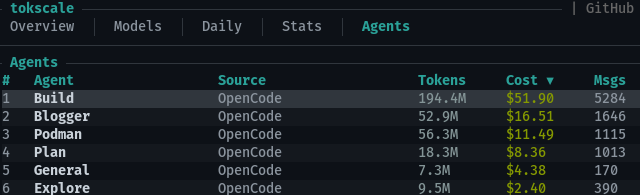
Let’s do some simple math. Over the last month I used 327 million DeepSeek V4.1 Flash tokens and 65 million GLM-5.3 Flash tokens, and both run about 5 cents per million tokens. That is a little under $20 per month at list price, but the 6x multiplier I get with OpenCode Go brings it down to about $3. That’s faster than my Qwen 35B setup and several times smarter than my Q3 27B setup. For $2,500, the cheapest 128 GB mini PC, I could buy roughly 50 billion tokens at list price, or 300 billion at the rate I actually pay. Even if that mini PC could somehow replace 100% of my cloud inference usage, including the models I use that would require 1,024 GB of VRAM just to load, it would take more than 10 years to pay for itself at list price, and over 60 years at the rate I actually pay.
The $8,000 dual-Spark setup or the $9,500 256 GB Mac? Don’t even ask how many tokens that buys. If you purely want the cheapest way to get a programming task done tonight, buy the cloud tokens. It is cheaper and faster.
Aside from the tiny models that I run for Home Assistant, I only fire up local coding models for testing. I try them out, kick the tires, then switch back to the cheap and fast cloud models. I just don’t have the patience, and I don’t always work on a single task. I can fire up two or three Pi sessions, and they will all run at full speed in the cloud. I can’t do that with a local model. The local models aren’t really my default. They are more of a backup plan.
I am hopeful for the near future. I feel like Muse Glimmer 30B has given me a glimmer of what Qwen 4 27B might give us. Qwen Flash Next uses the upcoming Qwen 4 architecture, which makes more efficient use of KV cache than Qwen 3. That might bring down Qwen 4 27B’s VRAM requirements just enough to fit a fantastic quant on my 16 GB GPU!
If you’re messing around with local models or cloud models, come hang out with us in our Discord community. We’ve got an active and friendly little group of coding harness users swapping tips and talking about plugins, extensions, and our experiences. Whether you’re just getting started or deep in the weeds, we’d love to see what you’re building.
- Is Machine Learning In The Cloud Better Than A Local LLM?
- OpenCode on a Budget
- Contemplating Local LLMs vs. OpenRouter and Trying Out Z.ai With GLM-4.6 and OpenCode
- Squeezing Value from Free and Low-Cost AI Coding Subscriptions
- OpenCode Go Coding Plan From a Light User’s Perspective
- Devstral with Vibe CLI vs. OpenCode: AI Coding Tools for Casual Programmers
- GPT-4o Mini Vs. My Local LLM
- Is Machine Learning Finally Practical With An AMD Radeon GPU In 2024?
- Should You Run A Large Language Model On An Intel N100 Mini PC?