Setting up local LLM services in your home is complicated. Running a coding model locally would cost on the order of $10,000, whereas the same capability is available in the cloud for about $3 per month and runs several times faster. I most definitely will not be trying to host a coding model at home, and I don’t think you should either!
You CAN squeeze the smallest yet barely usable coding model onto your $650 16 GB Radeon 9070 XT GPU, but it will still be slower than the much more capable $3-per-month cloud coding plan.
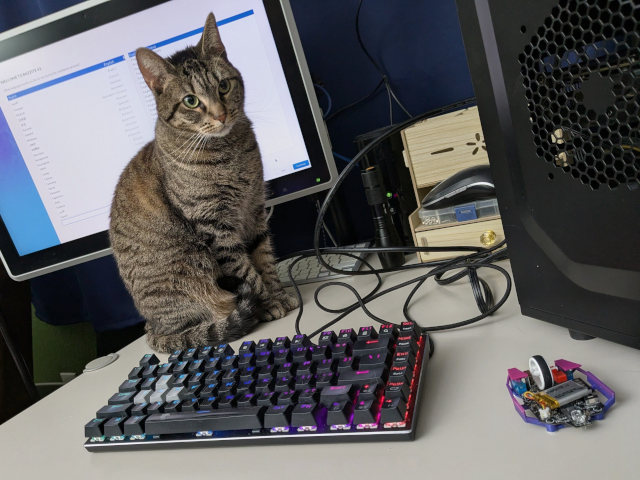
Little Trudy helped me install Bazzite on the RX 580 test rig at my workbench
I’ve been thinking about this a lot over the last year. What models are ACTUALLY worth running in my home? What data would I prefer to never see leaving the house? Which services need to work if my home Internet connection goes down? Just how much hardware do you need to meet these needs? Do all of these things require GPU acceleration to be performant?
Everything I think about seems to revolve around Home Assistant. I don’t have any of the cameras, microphones, or speakers to make any of this work, but here’s what I’d like to be able to do locally:
- Analyze photos of the front door to look for packages
- Convert voice input to text
- Have a capable LLM to process that text output
- Convert the output of that LLM to speech
I realize that this essentially adds up to a local equivalent of Google Home’s voice assistant. I currently have none of the front-end hardware to make this work with Home Assistant. I would need a handful of open-source equivalents to the Google Home Mini. I would need at least one IP camera. I’m just not there yet, but I figured attacking the deepest part of the backend first would be a smart move. If things work out as well as I hope, then maybe it is time to investigate options for the rest of the hardware!
I already experimented with the LLM with vision using my 16 GB GPU. Google’s Gemma 3 4B with vision analysis components fits into four or five gigabytes of VRAM. I already surmised in that blog post that I could likely fit that LLM, a text-to-speech model, and a speech-to-text model into 8 GB of VRAM.
One of my friends in our Discord community told me that I should put my money where my mouth is. Technically he suggested that I put his money where his mouth is, but an 8 GB RX 580 GPU only came out to $56, and I don’t think I should take his money!
Why the 8 GB Radeon RX 580?
I think the RX 580 is the sweet spot.
I have friends in our Discord community using old enterprise Radeon Instinct Mi50 and Mi60 GPUs. These can both be found in 16 GB and 32 GB variants. The prices are fair, but you will need to add cooling ducts and your own fans to make these work. I think these GPUs are a fine way to go. More VRAM is always better.

I like that the RX 580 is a decent gaming GPU. It isn’t going to compete with a modern GPU, but it can run a lot of current games at 1080p60. If it doesn’t work out in my homelab, then maybe it will wind up replacing the 6800H mini PC that we use for playing games in the living room.
The RX 580 is one of the cheapest GPUs with 8 GB of VRAM. We have a lot of small but capable models now, and we keep seeing new ones pop up. This is a good amount of VRAM for chatting with an LLM, and that’s all I’m hoping to do. My hope is to be able to ask how the weather is going to be tomorrow, and to be able to ask for alarms and timers.
- OpenCode with Local LLMs — Can a 16 GB GPU Compete With The Cloud?
- Should You Run A Large Language Model On An Intel N100 Mini PC?
- Deciding Not To Buy A Radeon Instinct Mi50 With The Help Of Vast.ai!
Why not a beefier GPU?
Here’s what I’ve figured out for my use cases. I have tasks where Gemma 3 4B is enough. I have tasks that require something more like Qwen 80B A3B, but that 80B model is barely enough to handle those tasks. When I need something bigger than Gemma 3 4B, I really want to be using GLM-4.7, Kimi K2, or even Claude Opus.
Being able to run slightly bigger models doesn’t make a big difference in the quality of my experience for these tasks. If Gemma 3 27B or Qwen 30B A3B can handle the job for me, odds are pretty good that Gemma 3 4B will manage just fine.
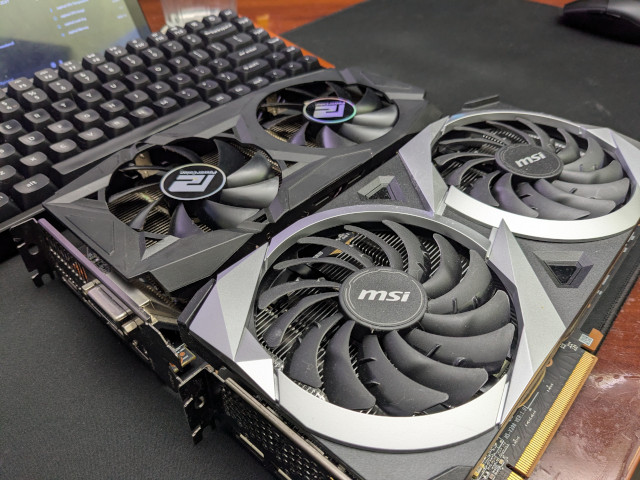
The slightly smaller Radeon RX 580 next to my old and slightly larger Radeon 6700 XT
Not only is the 8 GB RX 580 pretty close to the minimum viable LLM GPU for my homelab, it is also as much GPU as I need unless I want to spend tens of thousands of dollars. Inching my way up the price ladder doesn’t buy me any extra utility.
- Squeezing Value from Free and Low-Cost AI Coding Subscriptions
- Is The $6 Z.ai Coding Plan a No-Brainer?
- Contemplating Local LLMs vs. OpenRouter and Trying Out Z.ai With GLM-4.6 and OpenCode
Why Vulkan?
ROCm is usually faster than Vulkan, but it is so much more fiddly. You need to install the correct ROCm version that works with your GPU, and this becomes problematic as your GPU gets older. It doesn’t help that the GPUs with the lowest prices are no longer supported on the latest ROCm releases.
The containers that I build with llama.cpp and whisper.cpp are using Vulkan, and those containers should work on almost any Linux machine with a GPU. That includes the Intel N100, Ryzen 3550H, and Ryzen 6800H machines in my homelab, and my aging Ryzen 5700U laptop.
Vulkan support in llama.cpp has been improving steadily for the past year, and Vulkan support has been landing in other machine-learning software as well. It is starting to be a pretty good common denominator.
I am not looking to squeeze every ounce of performance out of this GPU. I want something that will perform well enough to do the job without becoming a maintenance nightmare.
- Is Machine Learning Finally Practical With An AMD Radeon GPU In 2024?
- Deciding Not To Buy A Radeon Instinct Mi50 With The Help Of Vast.ai!
Why in the heck is Pat testing this on Bazzite Linux?!
The appropriate place to run my homelab GPU would be on another Proxmox server in my homelab. I have several reasons why I installed Bazzite on the test machine with the RX 580.
I would want to run the LLM things in one or more LXC containers, because that would allow them to all share 100% of the GPU. Setting up LXC containers for this would have been a little more effort, and most of the other GPUs around the house that I want to compare the RX 580 to are in machines running Bazzite.
Setting up a working Podman container on one of these Bazzite boxes means that I have a Podman container that will work on every other Bazzite box. I can probably layer Podman inside a privileged LXC container.
I also wanted to see for myself exactly what sort of games I could run on this old GPU. Bazzite was the right choice for that. I’ve seen videos showing people playing Arc Raiders at 1080p on an RX 580 and getting better than 60 frames per second. They were using a DDR3 motherboard, but their CPU has 40% more single-core performance than my FX-8350. I suspect that will limit my choices of games.
Vibe-coding my way to a working setup
I ordered the GPU on Tuesday. It arrived on Saturday. That night, I installed Bazzite then told OpenCode that I needed a llama.cpp server with Vulkan support in a Podman container. That went pretty well, so when I woke up this morning, I asked OpenCode and Kiki K2 to do the same thing with whisper.cpp. It is now Sunday night, and I have a fast test environment ready to go!
This seemed like a fitting way to get a machine learning test environment up and running. Did my vibe coding environment pick safe, trusted images to build this on top of? I have no idea. I’ll work on improving this foundation if and when I figure out how to tie these pieces together into something that I can connect to Home Assistant.
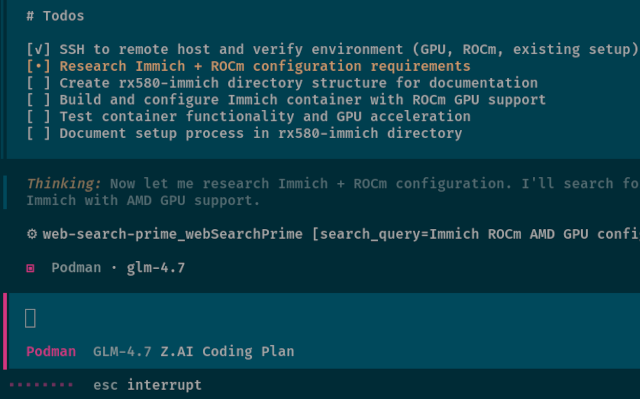
I am just testing for now. I am only trying to determine viability. Can we chat at the speed of speech? Can we scan photos of my front door fast enough to be worthwhile? Will it be cheaper to do that in the cloud?
This setup will give us a good idea of whether or not I’ve chosen the right hardware.
I am impressed with how well OpenCode manages to work with software on a remote machine. I told it the hostname of the machine, that it could be accessed via ssh, and that we would be working with Podman. It knew how to copy heredocs over an ssh connection, and when that didn’t go quite as planned, it created files locally and copied them over an ssh connection.
Why am I running llama-bench at 4,000 tokens of context?
I get a little grumpy when I go out searching for llama benchmarks. I believe the default context length is 512 tokens. That is definitely a long enough prompt to ask your local LLM about the weather, and probably enough context for my primary use cases here, but your conversation isn’t going much farther than that.
You usually see people benchmarking massive coding models like GLM-4.7 on a $10,000 Mac Mini, and they wind up using the default context length. You need many tens of thousands of tokens of context to use GLM-4.7 with Claude Code or OpenCode. I hit 80,000 tokens of context regularly. Prompt processing speed at 80,000 tokens of context is likely going to be an order of magnitude slower than at 512 tokens of context.

You need to benchmark at a context length appropriate to your needs, and you need enough VRAM to hold that level of context.
I did run some benchmarks down at 400 tokens of context. Things weren’t much slower at 400 tokens than at 4,000 tokens. I figured I may as well stick with something spacious. Maybe we’ll find another use case for larger context down the road!
- OpenCode with Local LLMs — Can a 16 GB GPU Compete With The Cloud?
- How Is Pat Using Machine Learning At The End Of 2025?
How fast is Gemma 3 4B on the RX 580?
I am going to say that Gemma 3 4B at Q6 performs admirably. I am getting better than 300 tokens per second in prompt processing, and token generation is just shy of 20 tokens per second. I suspect these numbers would be higher if I switched to ROCm, but I don’t want to worry about being deprecated in 12 months.
1
2
3
4
5
6
7
8
9
10
11
12
13
14
| |
NOTE: I Frankensteined the relevant lines from runs of llama-bench on different machines into one table. I added a column for the GPU, and I omitted the flash attention column from the 9070 XT runs. The 9070 XT is very slow on ROCm without flash attention, and that is the only run with flash attention enabled. Flash attention made little difference on any of the Vulkan test runs.
I don’t have a great way to properly benchmark the vision portion of Gemma 3. I just pulled up the llama.cpp web interface, pasted in a photo of my front door that was taken by an Amazon delivery driver, and I prompted the LLM to give me a simple yes or no answer about whether there was a package at my front door.
The web interface lies. It says it took a fraction of a second, but that is just the time it took to generate the “Yes” response. It actually takes around 10 seconds to process an image on the RX 580. Not lightning fast, but fast enough that I could have it check a still image from several cameras every few minutes without breaking a sweat.
- OpenCode with Local LLMs — Can a 16 GB GPU Compete With The Cloud?
- Is Machine Learning Finally Practical With An AMD Radeon GPU In 2024?
UPDATE: Qwen3 VL Qwen3.5 4B or 6B is a better option now
I don’t think Qwen3 with vision was an option when I started writing this blog post. Either that, or I just managed to miss it. Qwen3.5 was for sure not an option that long ago!
Gemma 3 4B can be a bummer because it is terrible at calling tools. I connected Qwen3.5 4B to OpenCode, and it managed to run some tool calls without any trouble. It isn’t a smart enough model to use for coding, but having a high success rate on tool calls opens up your local LLM GPU to all sorts of other options. I don’t think I can squeeze enough context into 8 GB of VRAM for OpenClaw, but I might have to try!
Speed is in the same ballpark as Gemma 3 4B, and Qwen had no trouble finding packages in photos of my front door. Small models have been improving so quickly. The models that easily fit in 8 GB of VRAM will probably be really impressive by the end of the year.
Whisper.cpp speech to text runs faster than I can talk
I’m not trying to transcribe a 2-hour podcast here. I’m just hoping to say things like, “Hey Robot! Set a 13-minute timer!” Even the slow Intel N100 in my homelab was able to transcribe sentences like that in a couple of seconds using the Whisper’s tiny model on its CPU only.
I have moved up from the 75-megabyte tiny model to the 466-megabyte small model. It transcribes a single voice command so quickly on the RX 580, my 9070 XT, or my 6800H that it isn’t even worth attempting to measure the speed. Any of these machines would be more than up to the task.
Even with Gemma 3 4B, its vision model, and Whisper small all loaded into VRAM, I still have nearly three gigabytes of VRAM free. There will probably be room left over to either use a less quantized GGUF of Gemma 3 4B, extend the maximum context of Gemma 3 4B, or use Whisper medium.
Text to speech options are overwhelming!
There are SO MANY text-to-speech engines. I decided to try Piper, because that is the one that the Home Assistant community seems to be integrating with. I don’t know why I thought Piper had Vulkan support. OpenCode had a Podman container up and running pretty quickly that used the CPU, but it churned away for a long time trying to get any sort of GPU acceleration going.
I’m not sure that it matters. Piper was able to generate voice audio roughly ten times faster than it could speak the words, and that was using my ancient AMD FX-8350 CPU in my test server.
It does seem like you can get Piper running using ROCm, but I am hoping to avoid ROCm.
I tested the same Podman containers on my Ryzen 6800H mini PC
I was pleasantly surprised by how well everything works on the Radeon 680M iGPU. The text model is barely slower than when running the RX 580. Processing an image takes a few extra seconds, but not ridiculously long. The response to my short recording of my voice from the whisper.cpp interface is essentially instantaneous on either the 680M or RX 580.
If you already have a mini PC with a decent iGPU, then you probably don’t need an RX 580.
- Bazzite on a Ryzen 6800H Living Room Gaming PC
- Should You Run A Large Language Model On An Intel N100 Mini PC?
Why an RX 580 instead of a Ryzen 6800H or faster mini PC?
A used 8 GB RX 580 costs $56, while a new Ryzen 6800H mini PC costs somewhere between $300 and $400. If you think I am comparing apples to oranges, you are correct.
Many of you reading this already have a homelab setup. You may already have one or more machines in your lab with PCIe slots. Maybe you can swap out an extremely basic GPU in one of your servers for a GPU capable of running LLMs. Adding something like an RX 580 to your existing setup is almost a no-brainer if you have a use case for this scale of LLM.
- Should You Run A Large Language Model On An Intel N100 Mini PC?
- Deciding Not To Buy A Radeon Instinct Mi50 With The Help Of Vast.ai!
When would an RX 580 pay for itself?
I have to tell you that I didn’t expect this to be a truly good deal in the long run. I assumed the only value would be in keeping your Home Assistant LLM inside your home, and keeping the photos of your doorstep out of the cloud. I resurrected my old FX-8350 homelab box when my 8 GB Radeon RX 580 arrived, and it isn’t an efficient machine. The meter says it is currently idling at 71 watts, and math says that keeping this box running 24/7 will cost at least $80 a year.
Surely sending images up to the cloud would cost less than that, right? I repeated my photo experiment using Gemma 3 Flash via OpenRouter. It cost about 1/3 of a penny to tell me that there was a package on my doorstep. That seems cheap! Let me show you the math:
At $0.0033 per image check, checking one image every five minutes adds up to 288 images per day, or 105,120 images per year. That works out to about $347 per year in cloud costs. That is more than four times what the electricity costs to run the local server. Even if you only check one image per hour, you’d spend about $29 per year in the cloud.
I had to stand up a new server, because my homelab consists entirely of power-sipping mini PCs now. My hardware would still pay for itself in a matter of months. You’ll do even better if you already have a server to plug this GPU into, because the GPU is only adding 10 or 20 watts on its own.
This math will change if you are hitting the LLM constantly.
I forgot about Immich!
I didn’t start trying to set up Immich with ROCm acceleration for its machine-learning server until the last minute, and I didn’t manage to get it working on the GPU yet. I didn’t want to delay this blog post.
I first want to say that I feel like it would be better to run Immich on something like an Intel N100 mini PC. Probably the same mini PC that you should be using to host Jellyfin! Using machine learning for face detection is only a small part of what Immich needs to do.
If you’re syncing a lot of your phone videos, then your server is going to be transcoding video. The RX 580 has video encode and decode hardware, but it is old. The Intel N100 is able to transcode more modern codecs, and it can do it just fast enough to convert and tone maqp three simultaneous 4K HDR videos to playback on non-HDR displays.
I will update this section when I get a chance to figure out how to test Immich on the RX 580.
Is this the conclusion?
I only had one question when I was ordering the 8 GB RX 580 GPU. Can this GPU run the text, vision, and speech models necessary to implement some sort of voice assistant to tie into Home Assistant? The answer is definitely yes, but I am not at all prepared to move forward from here!
I don’t know anything about Home Assistant’s voice integration. I don’t ACTUALLY have any cameras around the house. I have no microphone and speaker hardware that is compatible with Home Assistant. It looks like my purchase and testing is only going to lead to more purchases and more testing, so I better start figuring out what to buy next!
The RX 580 gave me exactly what I was hoping for. It has enough VRAM to hold and run a few models at a time, those models are capable enough for tasks around the house, and the performance is more than up to these sorts of tasks. It’s a humble little GPU, but it’s proven itself more than capable for my homelab needs.
If you’re in the market for an affordable way to start experimenting with small local LLMs, vision, and speech models without going all-in on expensive hardware, this 8 GB RX 580 is worth a look. It’s not about chasing maximum performance. It is about finding a sweet spot where you get useful functionality without breaking the bank.
Now if you’ll excuse me, I have to figure out how to build a voice assistant!
If you’re tinkering with your own homelab AI projects or curious about what’s possible with budget hardware, come hang out in our Discord community to swap stories and share what you’re building.
- OpenCode with Local LLMs — Can a 16 GB GPU Compete With The Cloud?
- Contemplating Local LLMs vs. OpenRouter and Trying Out Z.ai With GLM-4.6 and OpenCode
- Is The $6 Z.ai Coding Plan a No-Brainer?
- Devstral with Vibe CLI vs. OpenCode: AI Coding Tools for Casual Programmers
- Squeezing Value from Free and Low-Cost AI Coding Subscriptions
- Is Machine Learning Finally Practical With An AMD Radeon GPU In 2024?
- Should You Run A Large Language Model On An Intel N100 Mini PC?
- Deciding Not To Buy A Radeon Instinct Mi50 With The Help Of Vast.ai!
- Bazzite on a Ryzen 6800H Living Room Gaming PC